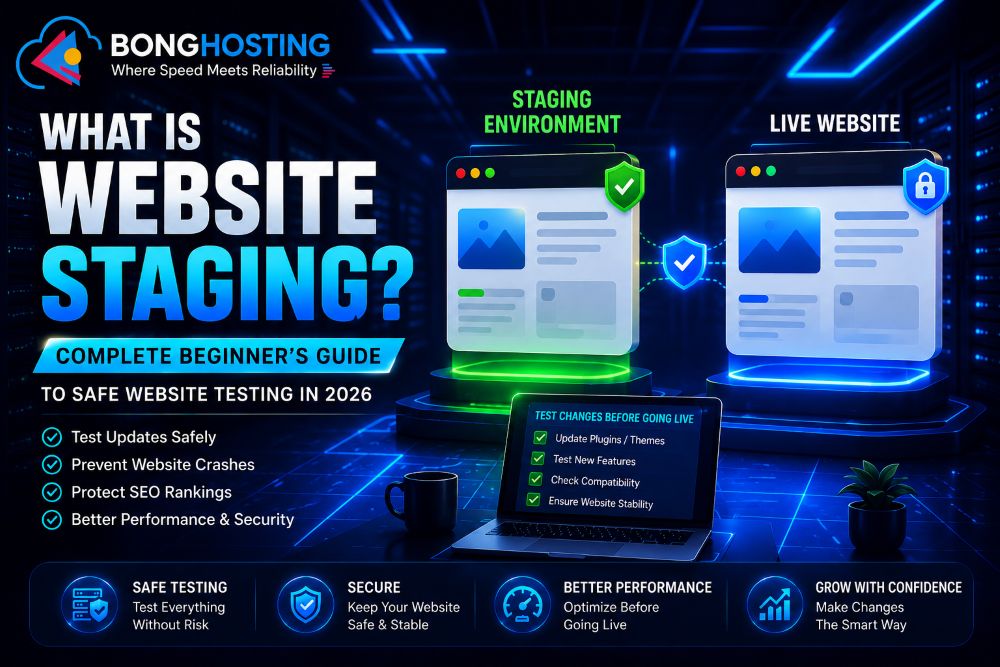
Website Staging কী? ২০২৬ সালে নিরাপদ Website Testing-এর সম্পূর্ণ Beginner Guide
Website manage করা শুধু content publish বা design change করার মধ্যে সীমাবদ্ধ নয়। Modern website-এ নিয়মিত প্রয়োজন হয়:
- Updates
- Plugin installation
- Theme customization
- Security improvements
- Performance optimization
- Feature testing
কিন্তু live website-এ সরাসরি changes করা ঝুঁকিপূর্ণ হতে পারে।
একটি ছোট ভুলও cause করতে পারে:
- Website crash
- Broken layout
- Plugin conflict
- Security issue
- SEO problem
- Visitor frustration
এই কারণেই website staging আধুনিক hosting এবং WordPress management-এর অত্যন্ত গুরুত্বপূর্ণ অংশ হয়ে উঠেছে।
Staging environment website owner-দের live website-কে প্রভাবিত না করে safely changes test করার সুযোগ দেয়।
২০২৬ সালে staging environment অত্যন্ত গুরুত্বপূর্ণ:
- WordPress website
- eCommerce store
- Business website
- Developer project
- Professional website management
এই guide-এ আপনি শিখবেন:
- Website staging কী
- Staging environment কীভাবে কাজ করে
- Live website এবং staging website-এর পার্থক্য
- Website staging কেন গুরুত্বপূর্ণ
- Staging website কীভাবে তৈরি করবেন
- SEO risk
- Common mistake
- Best practices
- Staging tools
ওয়েবসাইট মঞ্চায়ন কী?
Website staging হলো একটি private testing environment যা আপনার live website-এর একটি copy তৈরি করে।
এই duplicate website-এ আপনি safely:
- Plugin test
- Theme change
- Feature testing
- Custom coding
- Performance optimization
করতে পারবেন।
এর ফলে live website প্রভাবিত হয় না।
Staging website সাধারণত:
- Private থাকে
- Search engine থেকে hidden থাকে
- শুধুমাত্র testing-এর জন্য ব্যবহৃত হয়
এটিকে website-এর “safe testing lab” বলা যায়।
Staging Environment কী?
Staging environment হলো একটি আলাদা environment যেখানে website changes live করার আগে test করা হয়।
এতে থাকে:
- Website files
- Database copy
- Themes
- Plugins
- Content
- Settings
এটি live website-এর মতোই behave করে।
Live Website এবং ওয়েবসাইট মঞ্চায়ন-এর পার্থক্য

Live Website
Live website:
- Publicly accessible
- Visitor দ্বারা ব্যবহৃত
- Search engine-এ indexed
এখানে কোনো সমস্যা হলে তা সরাসরি user-কে প্রভাবিত করে।
Staging Website
Staging website:
- Private
- Testing-এর জন্য ব্যবহৃত
- Search engine থেকে hidden
এখানে safely error fix করা যায়।
ওয়েবসাইট মঞ্চায়ন কেন গুরুত্বপূর্ণ?
Website Crash প্রতিরোধ করে
Live website-এ সরাসরি update করা risky।
একটি faulty plugin বা theme:
- Layout break করতে পারে
- White screen error তৈরি করতে পারে
- Website crash করতে পারে
Staging environment আগে থেকেই সমস্যা detect করতে সাহায্য করে।
Safe Plugin Testing
অনেক plugin conflict করে:
- Themes
- Other plugins
- PHP versions
Staging environment-এ testing safe হয়।
Better Security
Developer-রা safely test করতে পারে:
- Firewall rules
- Security plugin
- Authentication systems
Better User Experience
Visitor দেখতে পায় না:
- Broken pages
- Testing errors
- Maintenance problems
SEO Protection
ভুল update SEO-কে ক্ষতি করতে পারে।
Staging SEO risk কমাতে সাহায্য করে।
ওয়েবসাইট মঞ্চায়ন কীভাবে কাজ করে?
Website staging সাধারণত এই process follow করে:
- Live website-এর copy তৈরি করা হয়
- সেটি staging environment-এ রাখা হয়
- Changes ও updates test করা হয়
- Errors fix করা হয়
- Approved changes live website-এ push করা হয়
অনেক hosting provider দেয়:
- One-click staging
- Automatic staging tools
WordPress Website-এর জন্য Staging

WordPress website-এ সাধারণত ব্যবহার হয়:
- Plugins
- Themes
- Third-party integrations
এগুলোর মধ্যে conflict হতে পারে।
WordPress staging সাহায্য করে:
- Plugin update test করতে
- Theme change check করতে
- WooCommerce testing করতে
- Custom code testing করতে
- Speed optimization করতে
ওয়েবসাইট মঞ্চায়ন-এর Common Uses

Plugin Updates
Plugin update অনেক সময় bug তৈরি করে।
Theme Customization
Design changes safely test করা যায়।
Website Redesign
Visitor-কে প্রভাবিত না করে redesign করা যায়।
PHP Version Testing
নতুন PHP version পুরনো plugin break করতে পারে।
Speed Optimization
Developer-রা safely test করে:
- Caching
- Compression
- Performance tools
ওয়েবসাইট মঞ্চায়ন এবং SEO

Staging website carefully configure করা জরুরি।
Search Engine Indexing Block করুন
Search engine যেন staging website index না করে।
নাহলে:
- Duplicate content issue
- SEO problem
হতে পারে।
Noindex Tag ব্যবহার করুন
Staging site-এ ব্যবহার করুন:
- noindex
- Password protection
Public Access Avoid করুন
Public staging website visitor এবং search engine-কে confuse করতে পারে।
Website Staging vs Development Environment
Development Environment
Developer coding এবং feature development-এর জন্য ব্যবহার করে।
Staging Environment
Final testing-এর জন্য ব্যবহার করা হয়।
এটি live website-এর মতো environment দেয়।
ওয়েবসাইট মঞ্চায়ন কীভাবে তৈরি করবেন?
Hosting Control Panel
অনেক hosting provider one-click staging দেয়।
WordPress Plugin
Popular plugin:
- WP Staging
- Duplicator
- All-in-One WP Migration
Manual Staging Setup
Advanced user manually:
- File copy
- Database clone
- Subdomain configure
করতে পারে।
Common Beginner Mistakes
Live Website-এ Testing করা
এটি beginner-দের সবচেয়ে বড় ভুল।
Search Engine Block না করা
Indexed staging site SEO issue তৈরি করতে পারে।
Backup Ignore করা
Major changes-এর আগে backup জরুরি।
Old Staging Copy ব্যবহার করা
Outdated staging environment live site-এর সাথে match নাও করতে পারে।
Security Forget করা
Public staging site sensitive data expose করতে পারে।
ওয়েবসাইট মঞ্চায়ন-এর সুবিধা

Safe Update
Update safer হয়ে যায়।
Better User Experience
Visitor কম error দেখে।
Faster Problem Detection
Issue আগে detect করা যায়।
Better Team Collaboration
Developer এবং designer safely কাজ করতে পারে।
Improved Stability
Testing unexpected issue কমায়।
ওয়েবসাইট মঞ্চায়ন Best Practices

- সবসময় backup নিন
- Search engine block করুন
- Password protection ব্যবহার করুন
- Carefully testing করুন
- Staging updated রাখুন
- Reliable hosting ব্যবহার করুন
- Mobile responsiveness test করুন
- SEO settings verify করুন
২০২৬ সালে ওয়েবসাইট মঞ্চায়ন-এর ভবিষ্যৎ
নতুন technology staging-কে আরও powerful করছে:
- AI-assisted testing
- Automated deployment
- Instant rollback systems
- Cloud staging
- Visual testing automation
- Smart compatibility scanning
Conclusion
Website staging নিরাপদ website management-এর অন্যতম গুরুত্বপূর্ণ অংশ।
আপনি যদি:
- Blog চালান
- WordPress website manage করেন
- eCommerce store run করেন
- Business website maintain করেন
তাহলে staging environment সাহায্য করবে:
- Website crash প্রতিরোধ করতে
- SEO protect করতে
- Security improve করতে
- Safe testing করতে
- Better user experience দিতে
২০২৬ সালে staging environment ব্যবহার করা প্রতিটি serious website owner-এর জন্য professional best practice হিসেবে বিবেচিত হচ্ছে।
Start your website today from BongHosting.