
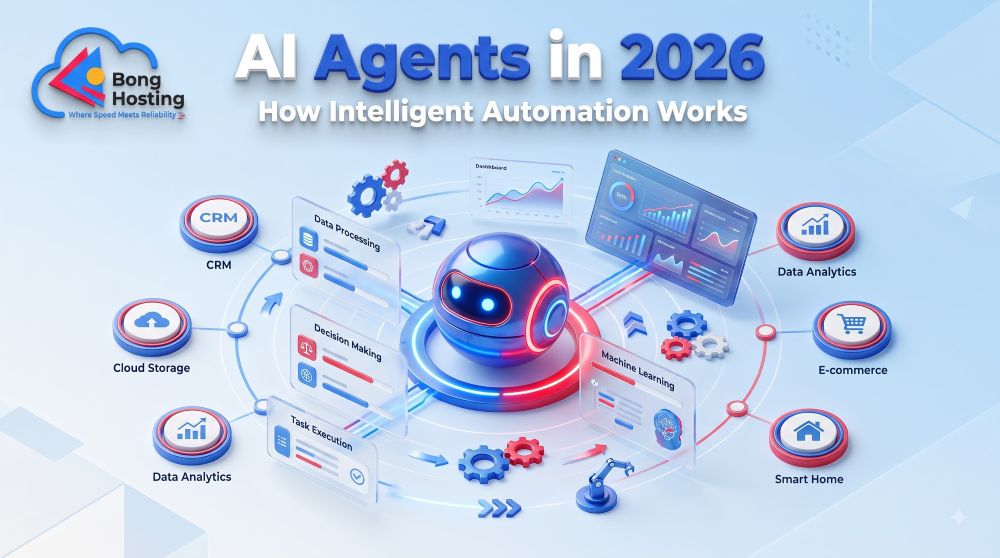
AI Agents in 2026–2027: How They Work, Best Tools, Real-World Uses, and Future Trends
AI Agents are changing how people interact with artificial intelligence by moving beyond simple question-and-answer conversations toward systems that can plan tasks, use tools, and perform multiple steps with varying levels of human supervision. In 2026, businesses, developers, content creators, and entrepreneurs are exploring AI agents to automate repetitive work and improve productivity.
Unlike a traditional chatbot that primarily responds to prompts, an AI agent can work toward a defined objective by gathering information, choosing actions, and evaluating results. Depending on its design and permissions, it may interact with websites, applications, databases, or business software.
For Indian businesses, including small companies, startups, digital agencies, and online stores, AI agents offer new possibilities for customer support, marketing, research, and operational workflows.
This guide explains what AI agents are, how they work, which tools are worth exploring, how businesses can use them, and what to consider before deploying them in 2026–2027.
Start Free Web Hosting Today with BongHosting
Launch your website with free web hosting — no upfront cost.
1. What Are AI Agents?
Understanding AI Agents in Simple Terms
An AI agent is a software system that uses artificial intelligence to pursue a specific goal by interpreting information and selecting actions within a defined environment.
A basic AI assistant usually responds to a user’s prompt. An agent, by contrast, may break a task into smaller steps, use tools, evaluate intermediate results, and continue until it reaches a stopping condition.
For example, imagine asking an AI agent to prepare a weekly report about your website.
Depending on its permissions and integrations, it might:
- Retrieve website traffic data.
- Organize the information by channel.
- Identify significant changes.
- Prepare a summary.
- Save the report or send it for approval.
The agent does not necessarily perform every step autonomously. Some systems require human approval before accessing data, sending messages, or making changes.
AI Agents vs. Chatbots vs. Traditional Automation
These technologies overlap, but they serve different purposes.
|
Feature |
Chatbot |
Traditional Automation |
AI Agent |
|---|---|---|---|
|
Primary purpose |
Answer questions |
Execute predefined rules |
Work toward a goal |
|
Decision-making |
Usually response-based |
Rule-based |
AI-assisted decisions |
|
Adaptability |
Depends on model and design |
Limited by configured rules |
Can adapt within defined limits |
|
Tool usage |
Sometimes |
Preconfigured integrations |
Can select from permitted tools |
|
Multi-step tasks |
Sometimes |
Fixed sequences |
May plan and adjust sequences |
|
Human supervision |
Varies |
Usually needed for exceptions |
Depends on risk and permissions |
|
Example |
FAQ chatbot |
Scheduled invoice reminder |
Research and reporting assistant |
An AI agent is not automatically more accurate or more efficient than a chatbot or traditional automation. For predictable tasks, a simple workflow may be easier to maintain and control.
Why AI Agents Matter in 2026
AI agents have attracted interest because they can combine language models, software tools, data access, and workflow logic.
Businesses are exploring them for tasks such as:
- Summarizing customer inquiries.
- Organizing internal documents.
- Researching products and competitors.
- Preparing marketing drafts.
- Monitoring operational data.
- Supporting software development.
- Coordinating multi-step business processes.
However, the practical value depends on the task, integration quality, data security, operating costs, and how reliably the system completes its work.
2. How AI Agents Work: Architecture and Workflow
The Main Components of an AI Agent
An AI agent typically combines several components that work together.
1. AI model: Interprets instructions, reasons about possible actions, and generates responses or decisions.
2. Instructions and goals: Define the task, operating boundaries, and expected outcome.
3. Tools and integrations: Allow the agent to retrieve information or perform permitted actions through APIs, software, or other interfaces.
4. Context and memory: Store relevant information needed to maintain continuity across a task or interaction.
5. Workflow controller: Coordinates steps, handles tool results, and determines whether to continue or stop.
6. Safety and evaluation layer: Applies permissions, validation rules, approval requirements, and checks for errors.
Not every agent uses the same architecture. Some rely on a single model with tools, while others coordinate multiple specialized agents.
The AI Agent Workflow

A typical agent workflow follows a repeating process.
1. Receive a Goal
Understand the user’s request and constraints.
2. Plan the Steps
Break the task into smaller actions.
3. Use Tools and Gather Information
Retrieve data or perform authorized actions.
4. Evaluate the Results
Check whether the outcome meets the goal.
5. Complete or Request Approval
Stop, revise the plan, or ask a person to review the result.
Example: An AI Agent for a Hosting Business
Consider a web hosting company that receives customer support requests.
An AI agent could classify incoming tickets, identify the relevant product, retrieve approved documentation, and draft a response for a support representative.
A more advanced system might update a ticket’s category or assign it to a team if the integration allows those actions.
However, sensitive operations such as deleting an account, changing billing information, or modifying server configurations should require appropriate authorization and safeguards.
3. Best AI Agent Tools and Platforms to Explore in 2026

The following platforms represent different approaches to building or using AI agents. They are not identical products: some provide general AI assistants, while others focus on agent development, workflow automation, or enterprise integrations.
Features and pricing can change. Verify current capabilities and plan limits before selecting a platform.
1. OpenAI Agent Development Tools
OpenAIprovides models and developer tools that can support the creation of AI-powered applications and agent workflows. Developers can build systems that use tools, process information, and complete multi-step tasks under defined constraints.
Key Features
- AI model integration for agent applications.
- Tool calling and structured workflows.
- Support for application-specific instructions.
- Developer-oriented APIs and integrations.
- Opportunities to add evaluation and safety controls.
Spec/Detail Table
|
Spec |
Details |
|---|---|
|
Platform type |
AI model and agent development ecosystem |
|
Primary use |
Building AI-powered applications |
|
Users |
Developers, startups, businesses |
|
Customization |
Application-dependent |
|
Pricing |
Usage-based and other options may apply |
|
Best suited for |
Teams building custom AI workflows |
Pros and Cons
- ✅ Supports custom application development.
- ✅ Can integrate AI reasoning with permitted tools.
- ❌ Requires technical planning and implementation.
- ❌ Usage costs depend on the model and workload.
2. Google Vertex AI Agent Builder
Google Cloudoffers AI development services that support the creation of applications and agent-based experiences. Vertex AI Agent Builder is associated with building and managing AI-powered systems within the Google Cloud ecosystem.
Key Features
- Tools for developing AI applications.
- Integration with supported Google Cloud services.
- Support for grounding applications in approved data sources.
- Enterprise-oriented development and deployment options.
- Monitoring and management capabilities, depending on the service.
Spec/Detail Table
|
Spec |
Details |
|---|---|
|
Platform type |
Cloud AI development platform |
|
Primary use |
Enterprise AI applications and agents |
|
Users |
Developers and organizations |
|
Integrations |
Google Cloud ecosystem |
|
Pricing |
Usage-based; check current pricing |
|
Best suited for |
Teams using Google Cloud infrastructure |
Pros and Cons
- ✅ Can fit into extion and governance can be complex.
- ❌ Costs depend onisting Google Cloud environments.
- ✅ Supports development of data-connected AI applications.
- ❌ Cloud configura services, usage, and deployment design.
3. Microsoft Copilot Studio
Microsoft Copilot Studiois a platform for creating and managing AI-powered agents and conversational experiences. It can connect to supported business systems and workflows within the Microsoft ecosystem.
Key Features
- Agent creation and configuration.
- Integration with supported Microsoft services.
- Workflow automation through available connectors.
- Business-oriented conversational experiences.
- Administrative controls and deployment options.
Spec/Detail Table
|
Spec |
Details |
|---|---|
|
Platform type |
Business agent development platform |
|
Primary use |
Internal assistants and business workflows |
|
Users |
Businesses and enterprise teams |
|
Integrations |
Supported Microsoft ecosystem services |
|
Pricing |
Licensing and usage terms vary |
|
Best suited for |
Organizations using Microsoft business tools |
Pros and Cons
- ✅ Can connect agents to business processes.
- ✅ Suitable for organizations using supported Microsoft services.
- ❌ Licensing and configuration require careful review.
- ❌ Complex workflows may need technical support.
4. n8n — Workflow Automation with AI Capabilities
n8nis a workflow automation platform that supports integrations and AI-related workflow components. It can help teams connect applications and design processes that combine automation with AI model calls.
Key Features
- Visual workflow builder.
- Application integrations and API connections.
- AI-related workflow components.
- Conditional logic and task orchestration.
- Deployment options that depend on the product setup.
Spec/Detail Table
|
Spec |
Details |
|---|---|
|
Platform type |
Workflow automation platform |
|
Primary use |
Integrating applications and AI workflows |
|
Users |
Developers, technical teams, businesses |
|
Integrations |
Supported connectors and APIs |
|
Pricing |
Plans and deployment costs vary |
|
Best suited for |
Teams connecting multiple business systems |
Pros and Cons
- ✅ Useful for connecting applications and automating workflows.
- ✅ Can combine fixed rules with AI-powered steps.
- ❌ Complex workflows require testing and maintenance.
- ❌ Poorly designed automations can propagate errors.
5. LangChain and LangGraph
LangChainandLangGraphare developer tools associated with building applications that use language models and agent workflows.
LangChain provides components for connecting models, tools, and data. LangGraph supports the orchestration of stateful workflows, including systems that require multiple steps and controlled execution.
Key Features
- Model and tool integration.
- Workflow orchestration.
- State and context management.
- Support for more complex agent architectures.
- Developer customization and application-specific logic.
Spec/Detail Table
|
Spec |
Details |
|---|---|
|
Platform type |
Developer frameworks and orchestration tools |
|
Primary use |
Building custom AI applications |
|
Users |
Developers and engineering teams |
|
Integrations |
Model providers, tools, and data sources |
|
Pricing |
Open-source components and optional paid services may apply |
|
Best suited for |
Teams building customized agent systems |
Pros and Cons
- ✅ Offers flexibility for custom agent architectures.
- ✅ Supports structured, multi-step workflows.
- ❌ Requires programming and engineering expertise.
- ❌ Developers must manage reliability, security, and maintenance.
Need Fast Mumbai Server Hosting?
Host your website on a Mumbai-based server with BongHosting.
Master Comparison Table: AI Agent Tools

|
Platform |
Main Purpose |
Technical Skill |
Common Use Case |
|---|---|---|---|
|
OpenAI developer tools |
Custom AI applications |
Moderate to advanced |
AI assistants and tool-using agents |
|
Google Vertex AI Agent Builder |
Cloud AI development |
Moderate to advanced |
Enterprise AI applications |
|
Microsoft Copilot Studio |
Business agent creation |
Beginner to advanced |
Internal business assistants |
|
n8n |
Workflow automation |
Beginner to advanced |
Connecting apps and AI steps |
|
LangChain / LangGraph |
Agent development |
Advanced |
Custom, stateful AI workflows |
How to interpret this comparison: Choose based on the task you need to automate, your existing technology stack, the level of control you require, and your team’s technical capabilities. There is no single platform that fits every project.
4. Real-World Applications of AI Agents

AI Agents for Customer Support
Customer support is one area where AI agents can help organize repetitive tasks.
- A carefully designed support agent may:
- Classify customer messages by topic.
- Retrieve relevant help articles.
- Summarize a customer’s issue.
- Draft responses using approved documentation.
- Route complex requests to the appropriate team.
For a hosting company, this could include questions about domains, SSL certificates, email configuration, or website migration.
However, an agent should not invent answers about account status or server problems. It should retrieve verified information and escalate cases it cannot resolve confidently.
AI Agents for Content Marketing and SEO
Content teams can use agents to support research and publishing workflows.
For example, an AI agent may help identify content gaps, organize keyword research, prepare article outlines, and draft metadata for editorial review.
A responsible content workflow should include:
- Human verification of facts and claims.
- Original examples and relevant expertise.
- Review of search intent and reader needs.
- Checks for duplicate or repetitive content.
- Editorial approval before publication.
AI agents can help with production tasks, but they cannot guarantee search rankings or organic traffic.
AI Agents for eCommerce Businesses
Online stores can explore AI agents for customer inquiries, product information, order-related support, and internal reporting.
Potential applications include:
- Summarizing product feedback.
- Drafting product descriptions from verified specifications.
- Categorizing customer reviews.
- Preparing customer support responses.
- Helping staff locate order or inventory information through authorized integrations.
Financial transactions, refunds, account changes, and customer data access require appropriate permissions and controls.
AI Agents for Developers and IT Teams
Technical teams can use AI agents to support coding, documentation, troubleshooting, and routine operational tasks.
Examples include:
- Summarizing error logs.
- Drafting documentation.
- Reviewing code for potential issues.
- Preparing test cases.
- Organizing bug reports.
- Suggesting possible troubleshooting steps.
AI-generated code and infrastructure changes must be reviewed and tested. An agent should not receive unrestricted production access simply because it can execute commands.
5. Benefits and Limitations of AI Agents
Key Benefits of AI Agents
AI agents can offer practical advantages when businesses choose suitable tasks and design reliable workflows.
- ✅ Task automation: Reduce repetitive manual steps in supported workflows.
- ✅ Workflow coordination: Connect multiple tools and actions.
- ✅ Information organization: Summarize documents and structure data.
- ✅ Scalability: Support larger volumes of routine work when systems are properly configured.
- ✅ Consistency: Apply the same instructions and validation rules across similar tasks.
- ✅ Flexible workflows: Adapt actions to changing inputs within defined boundaries.
Limitations and Risks
AI agents introduce risks that businesses must consider before deployment.
- ❌ Incorrect outputs: Models can produce inaccurate information or misunderstand instructions.
- ❌ Security exposure: Poorly controlled access can expose sensitive data.
- ❌ Unintended actions: Agents may perform the wrong operation if permissions and safeguards are weak.
- ❌ Operating costs: Model usage, integrations, infrastructure, and maintenance can add up.
- ❌ Monitoring requirements: Teams need to review performance and investigate failures.
- ❌ Integration complexity: Connecting multiple systems can require technical expertise.
The right approach is to begin with low-risk tasks, establish clear boundaries, and expand automation only after testing demonstrates that the system performs reliably.
6. How to Build an AI Agent: A Step-by-Step Guide

Step 1: Define a Clear Objective
Start by identifying one specific task.
For example, “Help our support team classify incoming tickets” is easier to evaluate than “Automate our entire customer support department.”
Define the expected output, the data the agent can access, and the actions it may perform.
Step 2: Select the Right Platform
Choose a platform based on your technical requirements.
A no-code workflow platform may suit a small business with straightforward automation needs. A developer framework may be more suitable when you need custom integrations or complex control logic.
Compare:
- Supported integrations.
- Data handling and privacy controls.
- Deployment requirements.
- Usage costs.
- Monitoring and evaluation capabilities.
Access permissions and approval mechanisms.
Step 3: Connect Data and Tools Securely
Give the agent access only to the information and actions required for its task.
Use scoped credentials, access controls, and secure connections. Avoid exposing passwords, payment information, or confidential records unnecessarily.
Whenever possible, separate read-only access from permission to modify data.
Step 4: Create Instructions and Guardrails
Write clear instructions that explain the agent’s role, allowed tools, expected outputs, and conditions for escalation.
For example:
- Use only approved knowledge sources.
- Do not invent customer account information.
- Ask for human review before sending sensitive messages.
- Stop when the requested information cannot be verified.
- Record relevant actions for auditing.
Step 5: Test, Monitor, and Improve
Test the agent using realistic examples, including unusual requests and failure scenarios.
Measure whether it completes tasks accurately, respects permissions, and escalates uncertain cases.
After deployment, review logs, user feedback, operating costs, and failure patterns. Update the workflow when the underlying software or business requirements change.
7. AI Agents, Hosting Infrastructure, and the Future of Automation

Why Hosting Infrastructure Matters
AI agents often rely on cloud services, APIs, databases, and web applications. The infrastructure supporting these components affects availability, response time, security, and operational reliability.
However, a typical shared hosting plan is not automatically suitable for running every type of AI agent. Some applications need background workers, specialized runtimes, persistent processes, or dedicated computing resources.
Before selecting hosting for an AI-powered application, consider:
- Application runtime and framework requirements.
- API connectivity and outbound network access.
- Database and storage needs.
- Security controls and access management.
- Expected traffic and workload.
- Backup and recovery requirements.
A simple website that uses an external AI API may have different infrastructure requirements from an application that runs complex, continuous agent workflows.
AI Agents and WordPress Websites
WordPress site owners can explore AI-powered workflows for content management, customer support, and website administration.
Potential applications include:
- Drafting blog outlines and metadata.
- Summarizing website analytics.
- Preparing customer support responses.
- Organizing content updates.
- Connecting WordPress to external automation platforms.
Before installing an AI plugin or connecting an external service, review its permissions, compatibility, data handling, and maintenance requirements.
AI Agent Trends to Watch in 2027
As AI agent technology develops, businesses may see further experimentation in several areas:
- More specialized agents: Systems designed for specific industries and business tasks.
- Improved workflow coordination: Better ways to manage multi-step processes and tool interactions.
- Human-supervised automation: More emphasis on approval controls for sensitive actions.
- Connected business applications: Deeper integrations with supported software platforms.
- Evaluation and monitoring: Greater attention to measuring reliability, cost, and operational risk.
- Multimodal workflows: Systems that combine text, images, audio, and other supported inputs.
These are areas to watch rather than guaranteed outcomes. Adoption will depend on technical progress, regulation, economics, and the practical needs of businesses.
8. Frequently Asked Questions About AI Agents
1. What are AI agents in simple words?
AI agents are software systems that use artificial intelligence to work toward a goal by processing information and selecting actions. Depending on their design, they can use tools, perform multiple steps, and request human approval when needed.
2. What is the difference between an AI agent and a chatbot?
A chatbot typically responds to user messages, while an AI agent can coordinate multiple actions to complete a task. However, modern chatbots can also use tools, so the distinction depends on the system’s capabilities and architecture.
3. Which AI agent platform should beginners explore?
Beginners can start by evaluating visual workflow tools such as n8n or business-oriented agent builders. The right option depends on the task, integrations, technical experience, and budget.
4. Can AI agents run a business automatically?
AI agents can support selected business workflows, but they should not be assumed to run an entire business without supervision. Financial, legal, customer data, and other sensitive processes need suitable controls and human oversight.
5. Are AI agents useful for small businesses in India?
Yes. Small businesses can explore AI agents for repetitive tasks such as organizing inquiries, drafting content, summarizing reports, and connecting software workflows. They should evaluate costs, data protection, and the value of the task before implementation.
6. Do AI agents need special hosting?
Not always. Some agents run through external cloud services, while others require application hosting, background workers, databases, or specialized infrastructure. Hosting requirements depend on the architecture and workload.
Conclusion: Choosing an AI Agent Strategy for 2026–2027
AI Agents are creating new ways to organize work, connect software, and automate selected business tasks. However, the best results come from choosing a clearly defined problem, using appropriate tools, and building reliable workflows with suitable human oversight.
For bloggers, AI agents can support research and content planning. For businesses, they can help organize customer support and internal processes. For developers, they can provide a foundation for applications that coordinate multiple tools and services.
Here is a practical starting guide:
- 🥇 For beginners: Start with a small, low-risk workflow using a visual automation platform.
- 🥈 For businesses: Evaluate agent builders that integrate with existing applications and support appropriate governance.
- 🥉 For developers: Explore agent frameworks and APIs when you need greater control over architecture and integrations.
These categories reflect different use cases rather than a universal ranking.
For BongHosting readers, the key takeaway is simple: build AI-powered workflows around a real business need, verify the results, and choose infrastructure that matches the application’s technical requirements.
Start Your AI-Powered Website with BongHosting

If you are planning to launch a blog, business website, or online project, BongHosting offers hosting options designed for website owners in India.
Explore hosting features such as:
- LiteSpeed technology for supported website performance optimization.
- NVMe storage for supported hosting plans.
- Free SSL certificates for eligible plans.
- India-based server infrastructure for relevant hosting offerings.
- Hosting plans starting at ₹99/month, subject to plan terms.
- Website hosting support for individuals and businesses.
Hosting performance depends on the selected plan, application configuration, traffic, and other factors. Review the plan details before choosing a service.
👉 Visit BongHosting.com for affordable web hosting and start building your website today!
Start Cheap Web Hosting Today
Get reliable web hosting at an affordable price with BongHosting.

