
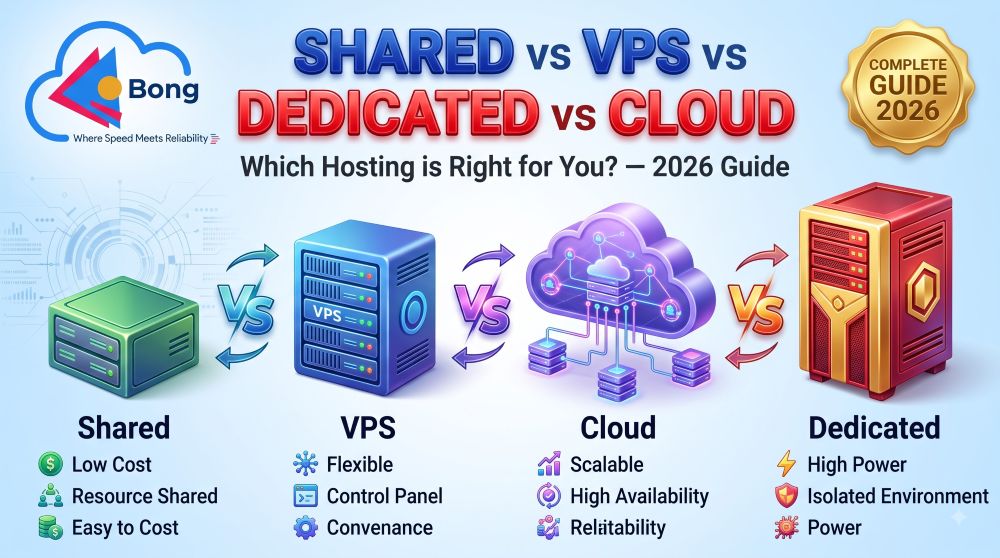
Shared Hosting vs VPS vs Dedicated vs Cloud Hosting 2026 – Which One is Right for You?
Choosing between shared hosting vs VPS vs dedicated vs cloud hosting is one of the most confusing decisions every website owner faces in 2026. Each hosting type offers a completely different set of features, performance levels, pricing structures, and scalability options. Moreover, picking the wrong type can either waste your money on resources you do not need — or cripple your website with resources that are not enough.
In this comprehensive guide from BongHosting, we break down every hosting type in simple, easy-to-understand language. Whether you are a complete beginner launching your first blog, a growing business needing more power, or an enterprise handling millions of visitors — this guide will help you make the smartest hosting decision in 2026.
So let us compare every hosting type head-to-head and find the perfect match for your specific needs.
What Does “Hosting Type” Actually Mean?

Before diving into the comparison of shared hosting vs VPS vs dedicated vs cloud hosting, it is important to understand what a “hosting type” actually refers to. In simple terms, the hosting type determines how your website uses a server’s resources — and how those resources are shared, divided, or exclusively allocated.
Think of it this way:
- Shared Hosting = Living in a large apartment building where everyone shares water, electricity, and common areas
- VPS Hosting = Living in a condo where you have your own dedicated space but still share the building structure
- Cloud Hosting = Having multiple homes across different locations — if one has an issue, you simply use another
- Dedicated Hosting = Owning an entire private mansion exclusively for yourself
Each option has clear advantages and disadvantages. Therefore, understanding these differences is absolutely essential before spending any money on hosting in 2026.
Shared Hosting Explained — The Budget-Friendly Starting Point

Shared hosting is the most popular and affordable hosting type available worldwide. On a shared hosting plan, your website lives on a single physical server alongside hundreds — sometimes even thousands — of other websites. As a result, all websites on that server share the same CPU, RAM, storage, and bandwidth resources.
How Shared Hosting Works
Imagine a large office building where multiple companies rent small office spaces. Everyone shares the same building infrastructure — the elevator, parking lot, electricity, and internet connection. Similarly, in shared hosting, your website shares server resources with many other websites managed by different people.
The hosting provider manages everything — server maintenance, security updates, software installations, and technical configurations. Consequently, you do not need any technical knowledge to use shared hosting effectively.
Advantages of Shared Hosting
- ✅ Most affordable option — Plans start from just ₹60-100/month in India
- ✅ Extremely beginner-friendly — No technical knowledge required at all
- ✅ Managed by the hosting provider — Server maintenance, updates, and security handled for you
- ✅ Quick setup — Get your website online in under 10 minutes
- ✅ cPanel included — Easy-to-use control panel for managing your website
- ✅ One-click WordPress installation — Start blogging instantly
- ✅ Free SSL and domain — Most providers include these at no extra cost
Disadvantages of Shared Hosting
- ❌ Limited resources — CPU, RAM, and bandwidth are shared with other websites
- ❌ Performance depends on neighbours — If another site on your server gets heavy traffic, your site may slow down
- ❌ Security risks — A compromised website on the same server can potentially affect yours
- ❌ Limited customization — You cannot install custom software or modify server settings
- ❌ Not suitable for high-traffic sites — Performance degrades significantly above 25,000-50,000 monthly visitors
Best Shared Hosting Providers in 2026
| Provider | Price/Month | Free Domain | Free SSL | Best Feature |
|---|---|---|---|---|
| Hostinger | ₹69 | ✅ | ✅ | Fastest LiteSpeed servers |
| Bluehost | ₹179 | ✅ | ✅ | WordPress.org recommended |
| MilesWeb | ₹60 | ✅ | ✅ | Cheapest in India |
| HostGator | ₹109 | ✅ | ✅ | 45-day money-back guarantee |
| GreenGeeks | ₹230 | ✅ | ✅ | 300% green energy |
Who Should Use Shared Hosting?
- ✅ Complete beginners launching their first website
- ✅ Personal bloggers with small to moderate traffic
- ✅ Small business websites with under 25,000 monthly visitors
- ✅ Portfolio and resume websites
- ✅ Hobby projects and experimental websites
- ✅ Students and freelancers on tight budgets
VPS Hosting Explained — The Middle Ground with Dedicated Power

VPS stands for Virtual Private Server. In VPS hosting, a single physical server is virtually divided into multiple isolated compartments. Each compartment acts as its own independent server with dedicated CPU, RAM, and storage resources. Therefore, your website gets guaranteed resources that are not affected by other websites on the same physical machine.
How VPS Hosting Works
Think of VPS hosting as living in a condominium building. While the physical building structure is shared with other residents, your individual unit has its own walls, utilities, and space that nobody else can use. Similarly, in VPS hosting, you get a private, isolated virtual server within a shared physical machine.
There are two main types of VPS hosting:
- Managed VPS — The hosting provider handles all server management, updates, and security for you
- Unmanaged VPS — You manage the server yourself, giving you full control but requiring technical expertise
Advantages of VPS Hosting
- ✅ Dedicated resources — Guaranteed CPU, RAM, and storage that are exclusively yours
- ✅ Better performance — Significantly faster than shared hosting for growing websites
- ✅ Greater control — Root access allows custom software installation and server configuration
- ✅ Improved security — Isolated environment means other websites cannot affect yours
- ✅ Scalable — Easy to upgrade resources as your website grows
- ✅ Affordable power — Much cheaper than dedicated hosting while offering similar benefits
Disadvantages of VPS Hosting
- ❌ More expensive than shared hosting — Plans start from ₹500-2,000/month
- ❌ Requires technical knowledge — Especially for unmanaged VPS plans
- ❌ Server management responsibility — You may need to handle updates and security on unmanaged plans
- ❌ Still shares physical hardware — Although isolated, the underlying physical server is shared
- ❌ Can be overkill for small sites — A simple blog does not need VPS resources
Best VPS Hosting Providers in 2026
| Provider | Price/Month | Managed | Root Access | Best Feature |
|---|---|---|---|---|
| Cloudways | ₹850 | ✅ | ✅ | 5 cloud provider choices |
| Hostinger VPS | ₹399 | Partial | ✅ | Most affordable VPS |
| A2 Hosting VPS | ₹1,200 | ✅ | ✅ | Turbo speed servers |
| DigitalOcean | ₹350 | ❌ | ✅ | Developer favourite |
| Linode | ₹400 | ❌ | ✅ | Predictable pricing |
Who Should Use VPS Hosting?
- ✅ Growing websites with 25,000-200,000 monthly visitors
- ✅ E-commerce stores with moderate transaction volumes
- ✅ Business websites that need guaranteed performance
- ✅ Websites running resource-intensive applications
- ✅ Developers who need root access and custom configurations
- ✅ Medium-sized blogs with multiple authors and content types
Cloud Hosting Explained — Maximum Flexibility and Reliability

Cloud hosting distributes your website across multiple interconnected servers — often spanning different physical locations and even different data centers. As a result, if one server experiences any issue, another server instantly takes over, ensuring your website remains online with virtually zero downtime.
How Cloud Hosting Works
Imagine having a team of backup drivers for your taxi service. If the primary driver gets sick, a backup driver immediately steps in — and the passenger never notices the switch. Similarly, in cloud hosting, multiple servers work together as a network. Your website is not dependent on any single server, which makes it extremely reliable and resistant to failures.
Additionally, cloud hosting uses a pay-as-you-go model in many cases. Therefore, you only pay for the actual resources your website consumes, which can be more cost-effective than paying for fixed resources you might not fully use.
Advantages of Cloud Hosting
- ✅ Exceptional uptime — Multiple servers ensure near-100% availability
- ✅ Instant scalability — Add more resources during traffic spikes with one click
- ✅ Pay-as-you-go pricing — Only pay for what you actually use
- ✅ Geographic redundancy — Data replicated across multiple locations for safety
- ✅ Fast performance — Load balancing distributes traffic efficiently across servers
- ✅ No single point of failure — If one server fails, others take over automatically
Disadvantages of Cloud Hosting
- ❌ Variable costs — Monthly bills can fluctuate unpredictably with traffic spikes
- ❌ More complex — Managing cloud infrastructure requires more technical understanding
- ❌ Can be expensive for consistent high traffic — Fixed-resource plans may be cheaper
- ❌ Data privacy concerns — Data distributed across multiple servers and locations
- ❌ Vendor lock-in risk — Migrating between cloud providers can be technically challenging
Best Cloud Hosting Providers in 2026
| Provider | Price/Month | Auto Scaling | CDN | Best Feature |
|---|---|---|---|---|
| Cloudways | ₹850 | ✅ | ✅ | Managed cloud with 5 providers |
| AWS (Amazon) | ₹750+ | ✅ | ✅ | Enterprise-grade reliability |
| Google Cloud | ₹800+ | ✅ | ✅ | AI integration |
| DigitalOcean | ₹350 | ✅ | ✅ | Simple developer cloud |
| Vultr | ₹300 | ✅ | ✅ | Global edge locations |
Who Should Use Cloud Hosting?
- ✅ Websites with unpredictable or seasonal traffic patterns
- ✅ E-commerce stores during sale events (Diwali, Black Friday)
- ✅ SaaS applications requiring high availability
- ✅ News portals and media websites with viral content potential
- ✅ Startups expecting rapid growth
- ✅ Applications requiring zero-downtime deployment
Dedicated Hosting Explained — Maximum Power for Maximum Demands
Dedicated hosting gives you an entire physical server exclusively for your website or application. No other website shares your server resources. As a result, you get the absolute maximum performance, security, and control that the hosting industry can offer.
How Dedicated Hosting Works
Think of dedicated hosting as owning a private mansion. You have complete control over every room, every utility, and every aspect of the property. Nobody else lives there, nobody else uses your resources, and you can customize everything exactly the way you want. Similarly, with dedicated hosting, the entire server belongs to you alone.
Advantages of Dedicated Hosting
- ✅ Maximum performance — All CPU, RAM, storage, and bandwidth exclusively yours
- ✅ Complete control — Full root access with ability to install any software
- ✅ Highest security — No other websites on the server eliminates cross-contamination risks
- ✅ Custom hardware options — Choose specific CPU, RAM, storage, and network configurations
- ✅ Ideal for compliance — Meet strict data privacy and regulatory requirements
- ✅ Consistent performance — No resource sharing means predictable, stable speeds
Disadvantages of Dedicated Hosting
- ❌ Most expensive option — Plans range from ₹5,000 to ₹50,000+/month
- ❌ Requires advanced technical expertise — Server management is complex
- ❌ No instant scalability — Adding resources requires physical hardware changes
- ❌ Single point of failure — If the server has hardware issues, your site goes down
- ❌ Overkill for most websites — 95% of websites never need dedicated hosting
- ❌ You handle maintenance — Unless you choose a managed dedicated plan
Best Dedicated Hosting Providers in 2026
| Provider | Price/Month | Managed | CPU Cores | Best Feature |
|---|---|---|---|---|
| Liquid Web | ₹12,000+ | ✅ | 4-16 | Heroic support |
| OVHcloud | ₹5,000+ | Partial | 4-64 | Most affordable dedicated |
| Hetzner | ₹4,500+ | ❌ | 6-128 | European reliability |
| InMotion | ₹8,000+ | ✅ | 4-8 | Free server management |
| ResellerClub | ₹6,000+ | ✅ | 4-16 | India-friendly billing |
Who Should Use Dedicated Hosting?
- ✅ Large enterprises with 500,000+ monthly visitors
- ✅ High-traffic e-commerce stores processing thousands of daily orders
- ✅ Websites with strict compliance and data privacy requirements (HIPAA, PCI-DSS)
- ✅ Gaming servers and resource-intensive applications
- ✅ Large SaaS platforms with high concurrent user counts
- ✅ Organizations requiring complete hardware control
The Ultimate Comparison — Shared vs VPS vs Cloud vs Dedicated Hosting 2026

Now that you understand each hosting type individually, let us compare them side-by-side across every important factor:
Performance Comparison
| Factor | Shared | VPS | Cloud | Dedicated |
|---|---|---|---|---|
| CPU | Shared | Dedicated virtual | Scalable | Fully dedicated |
| RAM | Shared | Dedicated virtual | Scalable | Fully dedicated |
| Speed | ⭐⭐⭐ | ⭐⭐⭐⭐ | ⭐⭐⭐⭐⭐ | ⭐⭐⭐⭐⭐ |
| Uptime | 99.9% | 99.95% | 99.99% | 99.99% |
| Traffic Capacity | Up to 50K/month | Up to 200K/month | Unlimited | Unlimited |
Pricing Comparison (India 2026)
| Factor | Shared | VPS | Cloud | Dedicated |
|---|---|---|---|---|
| Starting Price | ₹60/month | ₹350/month | ₹300/month | ₹4,500/month |
| Average Price | ₹100-200/month | ₹800-2,000/month | ₹800-5,000/month | ₹8,000-30,000/month |
| Pricing Model | Fixed monthly | Fixed monthly | Pay-as-you-go or fixed | Fixed monthly |
| Best Value For | Small websites | Growing websites | Variable traffic | Large enterprises |
Features Comparison
| Feature | Shared | VPS | Cloud | Dedicated |
|---|---|---|---|---|
| Root Access | ❌ | ✅ | ✅ | ✅ |
| Custom Software | ❌ | ✅ | ✅ | ✅ |
| Auto Scaling | ❌ | ❌ | ✅ | ❌ |
| Managed Option | ✅ Always | ✅ Available | ✅ Available | ✅ Available |
| Free SSL | ✅ | ✅ | ✅ | ✅ |
| cPanel | ✅ | ✅ Optional | ❌ Usually | ✅ Optional |
| Backups | ✅ Basic | ✅ Better | ✅ Advanced | ✅ Advanced |
| Security Level | ⭐⭐⭐ | ⭐⭐⭐⭐ | ⭐⭐⭐⭐ | ⭐⭐⭐⭐⭐ |
| Beginner Friendly | ⭐⭐⭐⭐⭐ | ⭐⭐⭐ | ⭐⭐⭐ | ⭐⭐ |
Scalability Comparison
| Factor | Shared | VPS | Cloud | Dedicated |
|---|---|---|---|---|
| Upgrade Ease | Easy (plan change) | Moderate | Instant | Difficult |
| Resource Flexibility | ❌ Fixed | ⚠️ Limited | ✅ Instant | ❌ Hardware change |
| Traffic Spike Handling | ❌ Poor | ⚠️ Average | ✅ Excellent | ⚠️ Good |
| Downgrade Option | ✅ | ✅ | ✅ | ❌ |
Real-World Scenarios — Which Hosting Type Should You Choose?
Understanding theory is helpful, but practical scenarios make the decision crystal clear. Here are common real-world situations and the recommended hosting type for each:
Scenario 1: Starting Your First Blog
Recommended: Shared Hosting
Why: Minimal traffic, tight budget, no technical skills needed. Shared hosting handles everything automatically while costing less than your monthly chai budget.
Scenario 2: Running a Growing E-Commerce Store
Recommended: VPS Hosting or Cloud Hosting
Why: You need dedicated resources for processing transactions, faster page loads for product pages, and better security for customer payment data. Moreover, traffic fluctuations during sales events need reliable handling.
Scenario 3: Launching a News Portal or Media Website
Recommended: Cloud Hosting
Why: Viral articles can bring massive traffic spikes within minutes. Cloud hosting automatically scales to handle these spikes without crashing your website. Furthermore, the pay-as-you-go model means you only pay for actual usage.
Scenario 4: Running an Enterprise Application
Recommended: Dedicated Hosting
Why: Maximum performance, complete security isolation, regulatory compliance requirements, and full hardware control are non-negotiable for enterprise applications. Additionally, dedicated servers provide the consistent, predictable performance that mission-critical applications demand.
Scenario 5: Building a SaaS Product
Recommended: Cloud Hosting
Why: SaaS products need instant scalability, high availability across multiple regions, and flexible resource allocation based on user demand. Cloud hosting delivers all three perfectly.
Scenario 6: Creating a Portfolio or Resume Website
Recommended: Shared Hosting
Why: Portfolio websites typically receive minimal traffic and need simple functionality. Spending more than ₹100/month on hosting for a portfolio site is unnecessary in most cases.
BongHosting Expert Recommendation — The Hosting Upgrade Path

Based on our extensive testing and years of experience helping website owners, here is the ideal hosting upgrade path for most Indian website owners in 2026:
Stage 1: Launch (0-25,000 monthly visitors)
Use: Shared Hosting (₹60-200/month)
- Start with Hostinger, Bluehost, or MilesWeb
- Focus on creating content and building your audience
- Enable free SSL and automatic backups from day one
Stage 2: Grow (25,000-100,000 monthly visitors)
Upgrade to: Managed VPS Hosting (₹500-2,000/month)
- Migrate to Cloudways or Hostinger VPS
- Enjoy dedicated resources and better performance
- Start implementing caching and CDN for faster speeds
Stage 3: Scale (100,000-500,000 monthly visitors)
Upgrade to: Cloud Hosting (₹2,000-8,000/month)
- Move to Cloudways (AWS/Google Cloud) or DigitalOcean
- Enable auto-scaling for traffic spike management
- Implement advanced security measures and staging environments
Stage 4: Dominate (500,000+ monthly visitors)
Upgrade to: Dedicated or Enterprise Cloud Hosting (₹8,000-50,000+/month)
- Consider Liquid Web, AWS, or Google Cloud enterprise plans
- Implement multi-server architecture with load balancing
- Deploy dedicated database servers and CDN edge nodes
Frequently Asked Questions About Hosting Types
Q1: Which hosting type is cheapest in India in 2026?
Shared hosting is the cheapest option, starting from just ₹60/month with providers like MilesWeb and Hostinger. However, cloud hosting with providers like DigitalOcean starts from approximately ₹300/month and offers significantly better performance for the price.
Q2: Can I switch from shared hosting to VPS later?
Absolutely yes. Most hosting providers offer easy upgrade paths from shared to VPS hosting. Furthermore, providers like Cloudways and Hostinger offer free migration assistance to make the transition smooth and hassle-free.
Q3: Is cloud hosting better than VPS hosting?
It depends on your specific needs. Cloud hosting excels in auto-scaling and uptime, while VPS hosting offers more predictable pricing and dedicated resources. For websites with variable traffic patterns, cloud hosting is generally better. For websites with consistent traffic, VPS often provides better value.
Q4: Do I need dedicated hosting for an e-commerce website?
Not necessarily. Most e-commerce websites in India perform excellently on VPS or cloud hosting. Dedicated hosting is only necessary when your store handles thousands of daily transactions and requires complete hardware isolation for PCI-DSS compliance.
Q5: What is the difference between managed and unmanaged hosting?
Managed hosting means the provider handles all server administration — updates, security, backups, and optimization — for you. Unmanaged hosting means you handle everything yourself, giving you full control but requiring significant technical expertise. Beginners should always choose managed hosting.
Q6: Which hosting type is best for WordPress in 2026?
For new WordPress sites, shared hosting from Bluehost or Hostinger is ideal. For growing WordPress sites, managed VPS from Cloudways is excellent. For high-traffic WordPress sites, cloud hosting with dedicated WordPress optimization provides the best performance.
Common Mistakes When Choosing a Hosting Type
Avoid these costly errors when selecting your hosting type in 2026:
- ❌ Over-provisioning — Buying dedicated hosting for a blog with 500 monthly visitors wastes thousands of rupees
- ❌ Under-provisioning — Running a busy e-commerce store on ₹69/month shared hosting guarantees performance problems
- ❌ Ignoring future growth — Choose a provider that offers easy upgrade paths between hosting types
- ❌ Choosing unmanaged when you are a beginner — Server management requires real expertise
- ❌ Forgetting about backup and security — These are essential regardless of which hosting type you choose
- ❌ Not testing before committing — Always use free trials or money-back guarantees to test performance
- ❌ Comparing only on price — The cheapest VPS might perform worse than a good shared hosting plan
Conclusion — Choose the Right Hosting Type and Build Your Online Success in 2026

In conclusion, understanding the differences between shared hosting vs VPS vs dedicated vs cloud hosting is absolutely essential for making the right investment in your online presence in 2026. Each hosting type serves a specific purpose and audience:
- 🟢 Shared Hosting — Perfect for beginners, small blogs, and budget-conscious website owners
- 🔵 VPS Hosting — Ideal for growing websites that need dedicated resources and better performance
☁️ Cloud Hosting — Best for websites needing maximum uptime, auto-scaling, and flexible pricing - 🔴 Dedicated Hosting — Reserved for large enterprises needing maximum power and complete control
The smartest approach is to start with shared hosting, focus on growing your content and audience, and then upgrade progressively as your needs evolve. Moreover, choosing a hosting provider like those recommended by BongHosting ensures you always have a smooth upgrade path available.
Remember — your hosting type should match your current needs, not your distant future dreams. Start practical, grow steadily, and upgrade when the numbers justify it.
👉 Visit BongHosting.com for more detailed hosting comparisons, tutorials, reviews, and exclusive deals updated for 2026!

