
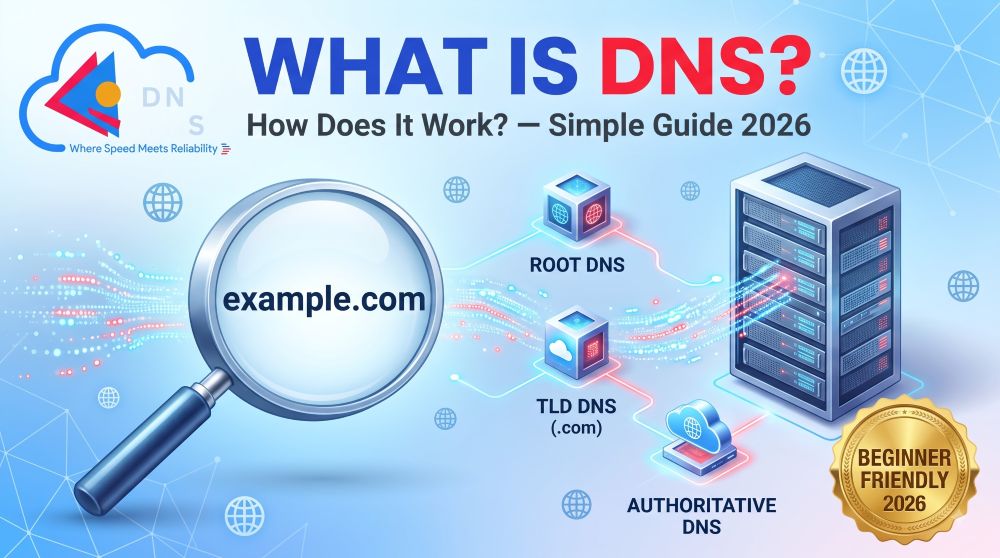
What is DNS and How Does It Work? Simple Explanation 2026
Every time you type a website address like “bonghosting.com” into your browser, something remarkable happens behind the scenes in milliseconds. But what is DNS and how does it work exactly? Understanding the Domain Name System is fundamental knowledge for every website owner, blogger, developer, and internet user in 2026 — yet most people have absolutely no idea how this invisible system powers their entire online experience.
In this beginner-friendly guide from BongHosting, we break down the DNS system using simple real-world analogies, clear diagrams, and practical examples. By the end of this article, you will understand exactly how DNS translates human-friendly domain names into machine-readable IP addresses, what different DNS record types do, and how to troubleshoot common DNS issues like a professional.
Let us demystify the internet’s most important — yet least understood — technology.
What is DNS? The Internet’s Phone Book Explained Simply

DNS stands for Domain Name System. It is essentially the internet’s phone book — a massive, distributed directory that translates human-readable domain names (like bonghosting.com) into machine-readable IP addresses (like 192.168.1.1) that computers use to locate and communicate with each other.
Think about it this way: you do not memorize your friends’ phone numbers — you simply search their name in your phone’s contact list, and the phone automatically dials the correct number. DNS works exactly the same way for the internet.
Without DNS, you would need to memorize long strings of numbers like 142.250.190.78 (Google’s IP address) just to visit a website. Therefore, DNS makes the internet usable for billions of people worldwide by letting us use simple, memorable domain names instead of complex numerical addresses.
Key DNS Facts in 2026:
- ✅ DNS handles over 600 billion queries per day worldwide
- ✅ A typical DNS lookup takes only 20-120 milliseconds
- ✅ There are 13 root DNS server clusters that anchor the entire system
- ✅ DNS was invented in 1983 by Paul Mockapetris
- ✅ Over 350 million domain names are registered globally in 2026
How Does DNS Work? Step-by-Step Process Explained

Understanding what is DNS and how does it work becomes much easier when you follow the journey of a single website request from your browser to the web server. Here is exactly what happens when you type bonghosting.com into your browser:
Step 1: You Type a Domain Name
You open your browser and type bonghosting.com in the address bar, then press Enter. Your browser needs to find the IP address of the server that hosts this website.
Step 2: Browser Checks Local Cache
Before contacting any external server, your browser first checks its own internal DNS cache. If you have visited bonghosting.com recently, the IP address may already be stored locally — resulting in an instant connection without any DNS lookup needed.
Step 3: Operating System Cache Check
If the browser cache does not have the answer, the request moves to your operating system’s DNS cache. Windows, macOS, and Linux all maintain their own DNS resolver caches that store recently resolved domain names.
Step 4: Router Cache Check
If neither your browser nor your operating system has the cached result, the query travels to your WiFi router or network gateway. Most routers maintain their own DNS cache to speed up repeated lookups for all devices on your local network.
Step 5: ISP’s Recursive DNS Resolver
If all local caches miss, the query reaches your Internet Service Provider’s (ISP’s) recursive DNS resolver. This is a specialized server operated by your ISP (like Jio, Airtel, or BSNL in India) that is specifically designed to resolve DNS queries on your behalf.
The recursive resolver performs the following steps:
Step 6: Root DNS Server Query
The recursive resolver contacts one of the 13 root DNS server clusters distributed worldwide. The root server does not know the specific IP address of bonghosting.com, but it knows which Top-Level Domain (TLD) server handles .com domains. It responds with the address of the .com TLD server.
Step 7: TLD Server Query
The recursive resolver now contacts the .com TLD server. This server does not know the specific IP address either, but it knows which authoritative nameserver is responsible for bonghosting.com. It responds with the address of BongHosting’s authoritative nameserver.
Step 8: Authoritative Nameserver Query
Finally, the recursive resolver contacts BongHosting’s authoritative nameserver — the definitive source of truth for all DNS records associated with bonghosting.com. This nameserver responds with the actual IP address (for example, 203.0.113.50).
Step 9: IP Address Returned and Cached
The recursive resolver sends the IP address back to your computer, caching it for future use based on the TTL (Time to Live) value. Your browser now knows exactly which server to connect to.
Step 10: Website Loads in Your Browser
Your browser establishes a direct connection to the web server at 203.0.113.50, requests the website files, and renders the page on your screen. This entire 10-step process happens in approximately 20-120 milliseconds — faster than the blink of an eye!
Types of DNS Servers — Understanding Each Role

The DNS system involves several different types of servers, each performing a specific role in the resolution process:
1. DNS Recursive Resolver
Role: The “middleman” that receives your DNS query and does all the heavy lifting
Operated By: Your ISP (Jio, Airtel, BSNL) or public DNS providers (Google, Cloudflare)
Analogy: Like a librarian who finds the book you need by checking multiple catalogs
2. Root DNS Server
Role: The first stop in the DNS hierarchy — directs queries to the correct TLD server
Count: 13 root server clusters (labeled A through M) distributed globally
Analogy: Like the main reception desk of a massive government building
3. TLD (Top-Level Domain) Server
Role: Manages all domains under a specific extension (.com, .in, .org, .net)
Examples: Verisign manages .com and .net; NIXI manages .in domains
Analogy: Like the department directory on each floor of the building
4. Authoritative Nameserver
Role: The final authority that holds the actual DNS records for a specific domain
Operated By: Your hosting provider or DNS service (like BongHosting, Cloudflare)
Analogy: Like the specific office where your file is physically stored
DNS Record Types Explained — Complete Guide for 2026

DNS records are instructions stored on authoritative nameservers that tell the internet how to handle requests for your domain. Understanding these records is essential for managing your website, email, and online services.
1. A Record (Address Record) — Most Important
| Property | Detail |
|---|---|
| Purpose | Points your domain name to an IPv4 address |
| Example | bonghosting.com → 203.0.113.50 |
| When to Use | Connecting your domain to your web hosting server |
| TTL | Typically 300-3600 seconds |
The A record is the most fundamental DNS record — it tells the internet which server IP address hosts your website.
2. AAAA Record (IPv6 Address Record)
| Property | Detail |
|---|---|
| Purpose | Points your domain to an IPv6 address |
| Example | bonghosting.com → 2001:0db8:85a3::8a2e:0370:7334 |
| When to Use | When your server supports IPv6 (increasingly common in 2026) |
3. CNAME Record (Canonical Name)
| Property | Detail |
|---|---|
| Purpose | Creates an alias that points one domain to another domain |
| Example | www.bonghosting.com → bonghosting.com |
| When to Use | Pointing subdomains to your main domain or third-party services |
4. MX Record (Mail Exchange)
| Property | Detail |
|---|---|
| Purpose | Directs email to your mail server |
| Example | bonghosting.com → mail.bonghosting.com (Priority: 10) |
| When to Use | Setting up custom email (support@yourdomain.com) |
| Priority | Lower number = higher priority |
5. TXT Record (Text Record)
| Property | Detail |
|---|---|
| Purpose | Stores text-based information for verification and security |
| Common Uses | SPF (email authentication), DKIM (email signing), DMARC (email policy), Google Search Console verification, SSL certificate verification |
| Example | v=spf1 include:_spf.google.com ~all |
6. NS Record (Nameserver)
| Property | Detail |
|---|---|
| Purpose | Specifies which nameservers are authoritative for your domain |
| Example | bonghosting.com → ns1.bonghosting.com, ns2.bonghosting.com |
| When to Use | Pointing your domain to your hosting provider’s nameservers |
7. SOA Record (Start of Authority)
| Property | Detail |
|---|---|
| Purpose | Contains administrative information about the DNS zone |
| Includes | Primary nameserver, admin email, serial number, refresh/retry/expire timers |
8. SRV Record (Service Record)
| Property | Detail |
|---|---|
| Purpose | Specifies location of specific services (VoIP, messaging, etc.) |
| When to Use | Microsoft 365, SIP protocols, gaming servers |
DNS Master Comparison — Record Types at a Glance
| Record | Points To | Primary Use | Example |
|---|---|---|---|
| A | IPv4 Address | Website hosting | 203.0.113.50 |
| AAAA | IPv6 Address | Modern hosting | 2001:db8::1 |
| CNAME | Another domain | Subdomain aliases | www → root domain |
| MX | Mail server | Email delivery | mail.domain.com |
| TXT | Text string | Verification/Security | SPF, DKIM, DMARC |
| NS | Nameserver | DNS delegation | ns1.host.com |
| SOA | Zone info | DNS administration | Zone serial, timers |
| SRV | Service location | Specific services | VoIP, Microsoft 365 |
What is DNS Propagation and Why Does It Take Time?

DNS propagation is the process by which updated DNS records spread across all DNS servers worldwide. When you change your nameservers, update an A record, or modify any DNS setting, the change does not take effect instantly across the entire internet.
Why Propagation Takes Time:
- TTL Caching — DNS servers cache records based on TTL values. Until the cached record expires, servers continue serving the old information.
- Hierarchical Distribution — Changes must propagate from authoritative nameservers through TLD servers, recursive resolvers, and local caches — a multi-layered process.
- Global Server Network — There are millions of DNS resolvers worldwide, each with its own cache expiration timeline.
Typical Propagation Times in 2026:
| Change Type | Typical Time | Maximum Time |
|---|---|---|
| A Record (low TTL) | 5-30 minutes | 4 hours |
| A Record (default TTL) | 1-4 hours | 24 hours |
| Nameserver change | 2-24 hours | 48 hours |
| MX Record | 1-4 hours | 24 hours |
| TXT Record | 5-60 minutes | 12 hours |
How to Speed Up DNS Propagation:
- ✅ Lower TTL before making changes — Set TTL to 300 seconds (5 minutes) at least 24 hours before making DNS changes
- ✅ Flush local DNS cache — Clear your computer and browser DNS cache after making changes
- ✅ Use Cloudflare DNS — Cloudflare’s network propagates changes faster than most registrar DNS
- ✅ Monitor with whatsmydns.net — Check real-time global propagation status
Public DNS Servers — Which Should You Use in 2026?

Your ISP provides default DNS servers, but switching to a public DNS provider can significantly improve your browsing speed, privacy, and security.
| Provider | Primary DNS | Secondary DNS | Speed | Privacy | Best For |
|---|---|---|---|---|---|
| Cloudflare | 1.1.1.1 | 1.0.0.1 | ⭐⭐⭐⭐⭐ | ⭐⭐⭐⭐⭐ | Fastest + Most Private |
| 8.8.8.8 | 8.8.4.4 | ⭐⭐⭐⭐⭐ | ⭐⭐⭐⭐ | Most Reliable | |
| Quad9 | 9.9.9.9 | 149.112.112.112 | ⭐⭐⭐⭐ | ⭐⭐⭐⭐⭐ | Best Security |
| OpenDNS | 208.67.222.222 | 208.67.220.220 | ⭐⭐⭐⭐ | ⭐⭐⭐⭐ | Family Protection |
| AdGuard | 94.140.14.14 | 94.140.15.15 | ⭐⭐⭐⭐ | ⭐⭐⭐⭐⭐ | Ad Blocking |
BongHosting Recommendation: For the best combination of speed and privacy in India in 2026, use Cloudflare DNS (1.1.1.1) as your primary and Google DNS (8.8.8.8) as your backup.
Common DNS Problems and How to Fix Them
Problem 1: “DNS_PROBE_FINISHED_NXDOMAIN”
Meaning: The domain name does not exist or DNS cannot resolve it.
Fix: Flush your DNS cache, switch to Google/Cloudflare DNS, verify your domain is not expired.
Problem 2: “Server Not Found” or “This site can’t be reached”
Meaning: DNS resolution failed completely.
Fix: Check your internet connection, clear browser cache, try a different DNS server, verify your domain’s nameserver configuration.
Problem 3: Website shows old content after DNS change
Meaning: DNS propagation is still in progress.
Fix: Wait for full propagation (use whatsmydns.net to monitor), flush local DNS cache, try accessing via a different network or VPN.
Problem 4: Email not working after domain transfer
Meaning: MX records are missing or incorrectly configured.
Fix: Verify MX records point to your mail server, check MX priority values, ensure SPF and DKIM TXT records are properly set.
How to Flush DNS Cache:
Windows:
ipconfig /flushdns
macOS:
sudo dscacheutil -flushcache; sudo killall -HUP mDNSResponder
Chrome Browser:
Navigate to chrome://net-internals/#dns and click Clear host cache
Frequently Asked Questions About DNS
Q1: What is DNS in simple words?
DNS (Domain Name System) is like the internet’s phone book. It translates website names you type (like google.com) into numerical IP addresses that computers use to find and connect to websites. Without DNS, you would need to memorize long numbers to visit every website.
Q2: Is DNS the same as a domain name?
No. A domain name is the human-readable address you purchase (like bonghosting.com). DNS is the system that translates that domain name into the server IP address where your website is hosted. They work together but are different things.
Q3: Can DNS affect my website speed?
Yes. Slow DNS resolution adds latency to every page load. Using fast public DNS providers like Cloudflare (1.1.1.1) or Google (8.8.8.8) can reduce DNS lookup time by 50-80% compared to default ISP DNS servers.
Q4: Is it safe to change my DNS server?
Yes. Switching to reputable public DNS providers like Cloudflare, Google, or Quad9 is completely safe and often improves both speed and security. These providers also offer DNS-over-HTTPS (DoH) encryption for additional privacy.
Q5: How do I check my current DNS records?
You can check your DNS records using free online tools like MXToolbox (mxtoolbox.com), DNSChecker (dnschecker.org), or Google Admin Toolbox Dig (toolbox.googleapps.com/apps/dig/).
Q6: What happens if DNS goes down?
If DNS servers become unavailable, websites become unreachable by their domain names — even though the actual web servers are still running. This is why DNS redundancy (having multiple nameservers) is critical for reliability.
Conclusion — Understanding What is DNS and How Does It Work Empowers Your Online Success

In conclusion, understanding what is DNS and how does it work is essential knowledge for every website owner in 2026. DNS is the invisible infrastructure that makes the entire internet usable — translating billions of domain name queries into IP addresses every single day in milliseconds.
By understanding DNS record types (A, AAAA, CNAME, MX, TXT, NS), DNS propagation timing, public DNS server options, and common troubleshooting techniques, you gain the confidence to manage your domain’s DNS configuration professionally and resolve issues independently.
For hassle-free DNS management with expert support, choose BongHosting — where our technical team handles your DNS configuration, ensures optimal propagation, and provides 24/7 assistance for any DNS-related questions.
👉 Visit BongHosting.com for reliable hosting with expert DNS management, free SSL, and 24/7 support!

