
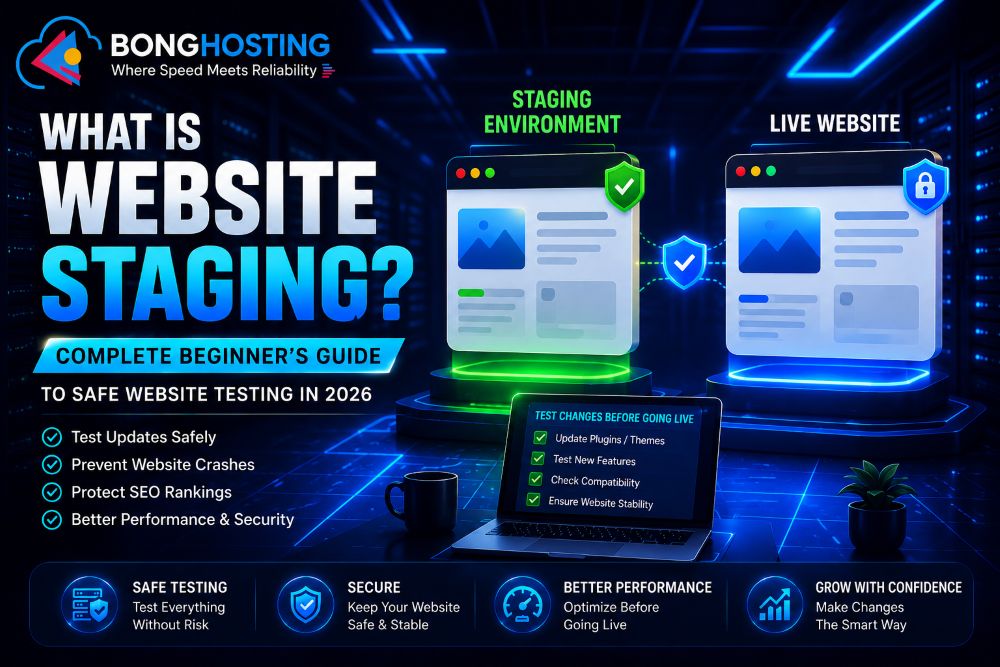
What Is Website Staging? Complete Beginner’s Guide to Safe Website Testing in 2026
Managing a website is not only about publishing content or designing pages. Modern websites constantly require:
- Updates
- Plugin installation
- Theme customization
- Security improvements
- Performance optimization
- Feature testing
But making changes directly on a live website can be risky.
A small mistake may cause:
- Website crashes
- Broken layouts
- Plugin conflicts
- Security issues
- SEO problems
- Customer frustration
This is why website staging has become extremely important in modern web hosting and WordPress management.
A staging environment allows website owners to test changes safely before applying them to the live website.
In 2026, staging environments are considered one of the most important tools for:
- WordPress websites
- eCommerce stores
- Business websites
- Developer workflows
- Professional website management
In this beginner-friendly guide, you will learn:
- What website staging means
- How staging works
- Difference between staging and live websites
- Why staging is important
- How to create a staging website
- SEO risks during staging
- Common staging mistakes
- Best staging practices
- Staging tools and plugins
Let’s understand everything step-by-step.
What Is Website Staging?
Website staging is a private testing environment that creates a copy of your live website.
This duplicate version allows you to:
- Test updates
- Install plugins
- Modify themes
- Change code
- Experiment with new features
without affecting the public website.
A staging website is usually hidden from visitors and search engines.
It works like a “safe testing lab” for your website.
What Is a Staging Environment?
A staging environment is a separate space where website changes are tested before going live.
It contains:
- Website files
- Database copy
- Themes
- Plugins
- Content
- Settings
This environment behaves almost exactly like the live website.
Difference Between Live Website and Staging Website

Live Website
The live website is:
- Publicly accessible
- Used by visitors
- Indexed by search engines
Any problem on the live website directly affects users.
Staging Website
The staging website is:
- Private
- Used for testing
- Hidden from public access
Problems can be fixed safely before publishing changes.
Why Website Staging Is Important
Prevents Website Crashes
Testing updates directly on a live website is dangerous.
A faulty plugin or theme may:
- Break layouts
- Cause white-screen errors
- Crash the website
Staging helps detect problems safely.
Safe Plugin Testing
Many plugins conflict with:
- Themes
- Other plugins
- PHP versions
Testing on staging avoids risks.
Better Website Security
Developers can safely test:
- Firewall rules
- Security plugins
- Authentication systems
before deployment.
Improves User Experience
Visitors never see:
- Broken pages
- Maintenance problems
- Experimental changes
This improves professionalism.
Protects SEO Rankings
Mistakes on live websites may damage:
- Rankings
- Crawling
- Indexing
Staging reduces SEO risks.
How Website Staging Works
Website staging usually follows this process:
- Create a copy of the live website
- Move it to staging environment
- Test updates and changes
- Fix issues
- Push approved changes to live website
Modern hosting providers often offer:
- One-click staging
- Automatic staging environments
Website Staging for WordPress

WordPress websites especially benefit from staging because they frequently use:
- Plugins
- Themes
- Third-party integrations
These components may conflict after updates.
WordPress staging helps test:
- Plugin updates
- Theme changes
- WooCommerce modifications
- Custom code
- Performance optimization
before affecting real users.
Common Uses of Website Staging

Plugin Updates
Plugins sometimes introduce bugs.
Staging helps verify compatibility safely.
Theme Customization
Design changes can be tested privately.
Website Redesign
Businesses can redesign websites without disturbing visitors.
PHP Version Testing
New PHP versions may break old plugins.
Speed Optimization
Developers test:
- Caching
- Compression
- Performance tools
safely on staging sites.
Website Staging and SEO

Staging websites must be configured carefully to avoid SEO problems.
Prevent Search Engine Indexing
Search engines should not index staging websites.
Otherwise:
- Duplicate content issues may occur
- SEO rankings may be affected
Use Noindex Tags
Staging environments should use:
- noindex
- password protection
Avoid Public Access
Public staging websites may confuse users and search engines.
Website Staging vs Development Environment
Many beginners confuse these terms.
Development Environment
Used mainly by developers for coding and feature creation.
Staging Environment
Used for final testing before public release.
Staging closely matches the live website.
How to Create a Website Staging Environment
Hosting Control Panel
Many hosting providers offer:
- One-click staging tools
WordPress Plugins
Popular staging plugins include:
- WP Staging
- Duplicator
- All-in-One WP Migration
Manual Staging Setup
Advanced users can manually:
- Copy files
- Clone databases
- Configure subdomains
Common Beginner Mistakes
Testing Directly on Live Website
This is one of the biggest mistakes beginners make.
Forgetting to Block Search Engines
Indexed staging websites create duplicate SEO issues.
Ignoring Backup Creation
Always backup before major changes.
Using Old Staging Copies
Outdated staging versions may not match live websites.
Forgetting Security Settings
Public staging websites may expose sensitive data.
Benefits of Website Staging

Safer Website Updates
Reduces risks during updates.
Better User Experience
Visitors experience fewer errors.
Faster Problem Detection
Issues are identified before going live.
Better Team Collaboration
Developers and designers can work safely together.
Improved Website Stability
Testing reduces unexpected problems.
Best Practices for Website Staging

- Always create backups
- Block search engines
- Use password protection
- Test updates carefully
- Keep staging updated
- Use reliable hosting
- Monitor staging performance
- Test mobile responsiveness
- Check SEO settings before publishing
Future of Website Staging in 2026
Modern hosting technology is improving staging systems rapidly.
New trends include:
- AI-assisted testing
- Automated staging deployment
- Instant rollback systems
- Cloud-based staging
- Visual testing automation
- Smart update compatibility scanning
Website staging is becoming easier and more powerful.
Conclusion
Website staging is one of the most important tools for safe website management.
Whether you run:
- A blog
- WordPress website
- eCommerce store
- Business website
- Developer project
staging environments help:
- Prevent crashes
- Protect SEO
- Improve security
- Test safely
- Improve user experience
In 2026, using staging environments is considered a professional best practice for every serious website owner.
Start your website today from BongHosting.

